





Registration and Verification at Lilu Casino in the UK
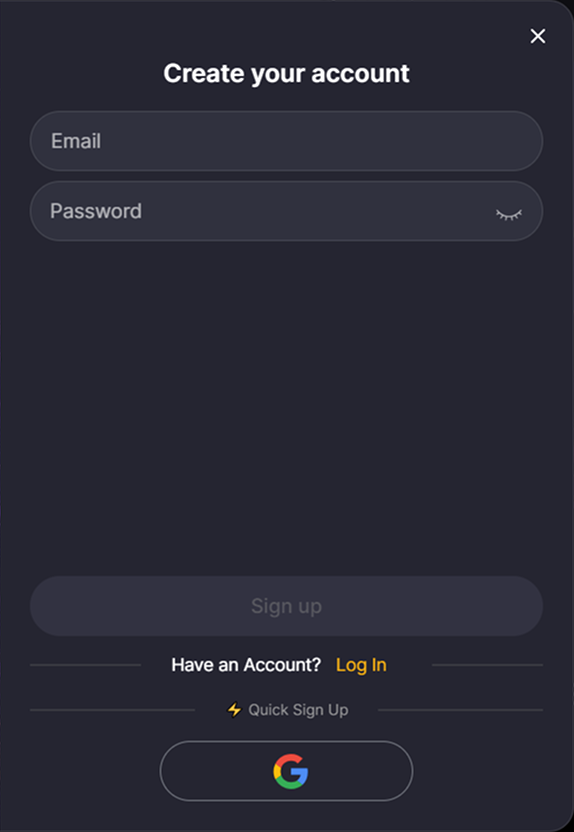
There are two ways to open an account: complete a short form with an email address and password, or use Quick Sign Up with Google. The standard form has just two fields; your name, address and telephone number are not requested at this stage.
Registration is open to users aged 18 or over. Once the form has been submitted, confirm your email address using the link sent to you. Until activation is complete, the cashier and real-money sections may remain unavailable.
Step-by-Step Registration
- Open the registration page.
- Enter a valid email address and create a unique password, or select Quick Sign Up and choose your Google account.
- Confirm that you are of legal age and agree to the terms of service.
- Check your inbox and follow the activation link.
- Once verified, sign in and review the account currency settings.
Use an address you can access long-term: it serves as your login, recovery channel and point of contact with the operator.
Email Confirmation
An email is sent to the address provided during registration. Access to the cashier and real-money sections may be restricted until the activation link has been opened.
If the message does not arrive:
- check that the address is correct;
- look in your Spam folder;
- make sure your inbox can receive new messages;
- contact Live Chat if you cannot request another email.
When registering with Google, the email address is taken from your signed-in profile. Access therefore also depends on the security of your Google account.
Currency and Personal Details
Promotions are quoted in EUR and GBP. Choose your account currency before adding funds, as it cannot be changed after registration. For payments in another currency, your bank or provider may convert the amount at its own exchange rate.
Although only an email address and password are initially required, the operator may request documents before a withdrawal. Any name, date of birth and address added to the profile later must therefore match your identity documents.
Signing In and Resetting Your Password
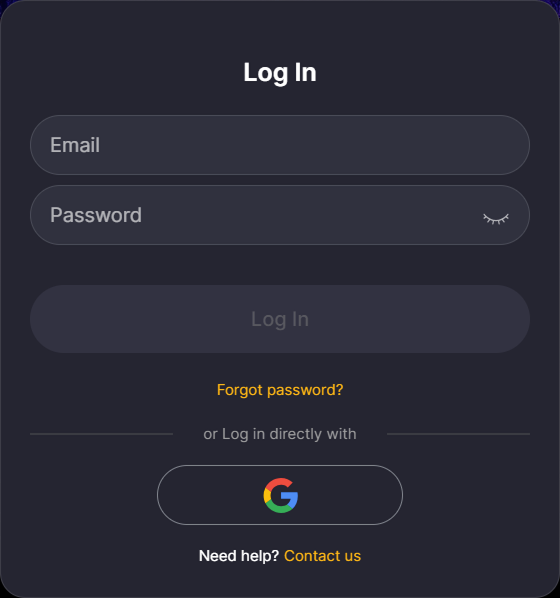
For standard registration, use your email address and password. If you registered with Google, use the same sign-in button; you may not have a separate password for the site.
To reset your password:
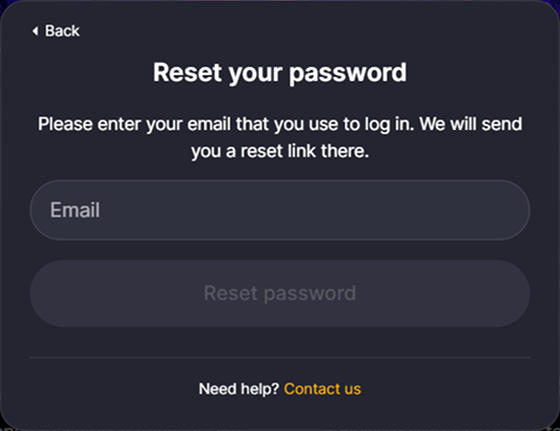
- Select the account recovery option on the login page.
- Enter the email address linked to your profile.
- Open the message and follow the password reset link.
- Create a new, unique password and sign in again.
SMS recovery is not available. If you cannot access your email, contact support and be prepared to verify your identity.
KYC Before Withdrawal
Identity verification is required before the first payout. The operator may ask for:
- a passport, national identity card or driving licence;
- proof of address, such as a utility bill or bank statement;
- proof of the payment method used;
- a selfie holding an identity document if additional checks are required.
Upload documents through your account. Images must be legible, and your name and address must match your profile. Ask support about review times and accepted formats.
Account Security
- Use a unique password and never share it with anyone.
- Protect your email account with two-step verification if your provider offers it.
- Do not save passwords on shared devices, and sign out manually after use.
- If you notice suspicious activity, change your password immediately and contact support.
Responsible Gambling
Account settings include limits on deposits, losses and maximum stakes. You can also request a time-out or self-exclusion lasting from six months to five years. BeGambleAware and GamCare are listed as support resources.
Conclusion
You can register at Lilu Casino using an email address or Google account, while KYC is required before the first withdrawal. Profile details must match your documents to avoid verification delays. UK users should first confirm local age requirements and whether access to the service is lawful.